
Download OT – Online Trading Platform, Trading Tools, Beginner Trading, Advanced Trading, Free Demo Account
Overview
OT is a desktop application designed to serve as a comprehensive online trading platform for both novice and experienced traders. Developed by Aollikus LTD, the software aims to bridge the gap between learning and real-world trading by offering a secure, accessible environment where users can practice and execute trades. The platform supports multiple trading modes, including manual, automated, and copy trading, allowing users to tailor their experience to their skill level and investment goals. It is particularly suited for individuals seeking to enter the financial markets with confidence, especially those who benefit from hands-on learning and risk-free practice.
One of the primary purposes of OT is to provide an educational foundation for beginners. Upon registration, users receive access to a free demo account with 10,000 virtual currency units, enabling them to simulate real trading conditions without financial risk. This feature is ideal for testing strategies, exploring market dynamics, and building confidence before committing real capital. The platform also integrates a knowledge base with video tutorials, technical analysis guides, and market news, supporting continuous learning. While the software is available on both desktop and mobile devices, this review focuses on its desktop application functionality and user experience.
Key Features & Capabilities
- Free Demo Account: New users gain immediate access to a simulated trading environment with 10,000 virtual currency units, allowing risk-free practice and strategy testing.
- Multiple Trading Modes: Supports manual trading for hands-on control, automated trading for algorithmic execution, and copy trading to replicate strategies of experienced traders.
- Comprehensive Educational Resources: Includes video tutorials, platform guides, technical analysis tips, and up-to-date market news to support user development.
- 24/7 Multilingual Support: Users can access assistance via email, in-platform chat, or voice calls, ensuring help is available regardless of time zone or language preference.
- Real-Time Market Data: Provides up-to-date market information to support informed decision-making during live trading sessions.
These features are designed to enhance user engagement and skill development. For example, a beginner trader can use the demo account to test a technical indicator strategy across multiple market sessions. An advanced user may leverage automated trading to execute high-frequency trades based on predefined rules. Copy trading allows users to follow and replicate the actions of experienced traders, making it a valuable tool for those seeking mentorship without direct involvement. The integration of educational content ensures users are not only executing trades but also understanding the underlying principles.
User Interface, Workflow & Performance
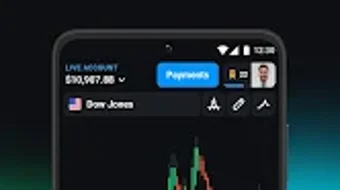
The desktop interface of OT is structured to prioritize clarity and accessibility. Navigation is organized through a central dashboard that displays key trading instruments, account balance, open positions, and market activity. The layout is responsive and intuitive, minimizing the learning curve for new users. Core functions such as placing trades, managing portfolios, and accessing educational materials are accessible through clearly labeled menus and toolbars.
Workflow efficiency is enhanced by the platform’s streamlined design. Users can switch between trading modes seamlessly, access real-time charts, and monitor performance metrics with minimal clicks. The application maintains a consistent layout across different sections, promoting familiarity and reducing user errors.
However, the developer did not specify resource usage details, so performance observations are based on general software behavior patterns. No reports of instability or crashes were mentioned in the provided information. The application is designed to operate smoothly under typical desktop conditions, though exact CPU and RAM behavior remains undisclosed.
Compatibility & System Requirements
OT is available for desktop platforms, though specific operating systems were not fully detailed in the provided information. The software is designed to function on modern computing environments, with a stated installation size that reflects a standard desktop application footprint. The developer did not provide exact system requirements, including minimum processor speed, RAM, or storage space needed for optimal performance.
Platform compatibility information is limited, but the application is known to be accessible across devices, including mobile platforms. For desktop use, users should ensure their system meets general requirements for running modern web-based applications. The developer did not specify whether the software requires an internet connection at all times or supports offline functionality. Users are advised to consult official documentation for the most accurate compatibility details.
Pros and Cons
Pros
- Free demo account with 10,000 virtual currency units for risk-free learning
- Supports multiple trading styles: manual, automated, and copy trading
- Comprehensive educational resources for users at all levels
- 24/7 multilingual customer support via multiple channels
- Intuitive desktop interface designed for ease of navigation
Cons
- Exact system requirements were not listed
- Performance metrics such as CPU and RAM usage were not specified
- Availability of offline mode was not confirmed
- No information on update frequency or automatic update features
- Specific details about security protocols were not provided
FAQ Section
Is OT available for Windows and Mac desktops?
The software is designed for desktop use, but specific operating system compatibility was not fully detailed in the provided information. Users should refer to official sources for the most accurate platform support details.
Is OT safe to use?
The developer did not provide specific details about security measures such as encryption, data protection, or authentication protocols. Users are advised to exercise caution and review privacy policies before sharing personal or financial information.
Does OT require an internet connection?
Given the nature of real-time trading and market data, it is likely that OT requires a stable internet connection during operation. However, the developer did not confirm whether the software supports offline functionality.
Can I update OT automatically?
Information about automatic update features was not included in the provided data. Users may need to manually check for updates through the application or official website.
Is OT free to download and use?
Yes, OT is available as a free application. Users gain access to a demo account upon sign-up, and the platform offers a range of free educational resources. However, the availability of premium features or fees for live trading was not specified.
Final Thoughts + CTA
OT presents a well-rounded desktop solution for individuals interested in exploring online trading with a focus on education and flexibility. Its free demo account, multiple trading modes, and accessible learning materials make it a compelling choice for beginners, while its advanced features offer value to experienced traders. The intuitive interface and 24/7 support further enhance its usability across different user profiles. While specific technical details such as system requirements and performance metrics remain undisclosed, the platform’s core functionality is clearly designed to support both learning and active trading.
For users seeking a secure, free, and comprehensive tool to start or improve their trading journey, OT offers a solid foundation. Whether you're testing strategies or managing live positions, the software provides the tools needed to engage confidently in financial markets. Download OT now and take your trading experience to the next level.







